



Which console needs attention?
Choose a platform to see common repairs, typical timing and what to have ready when you call.
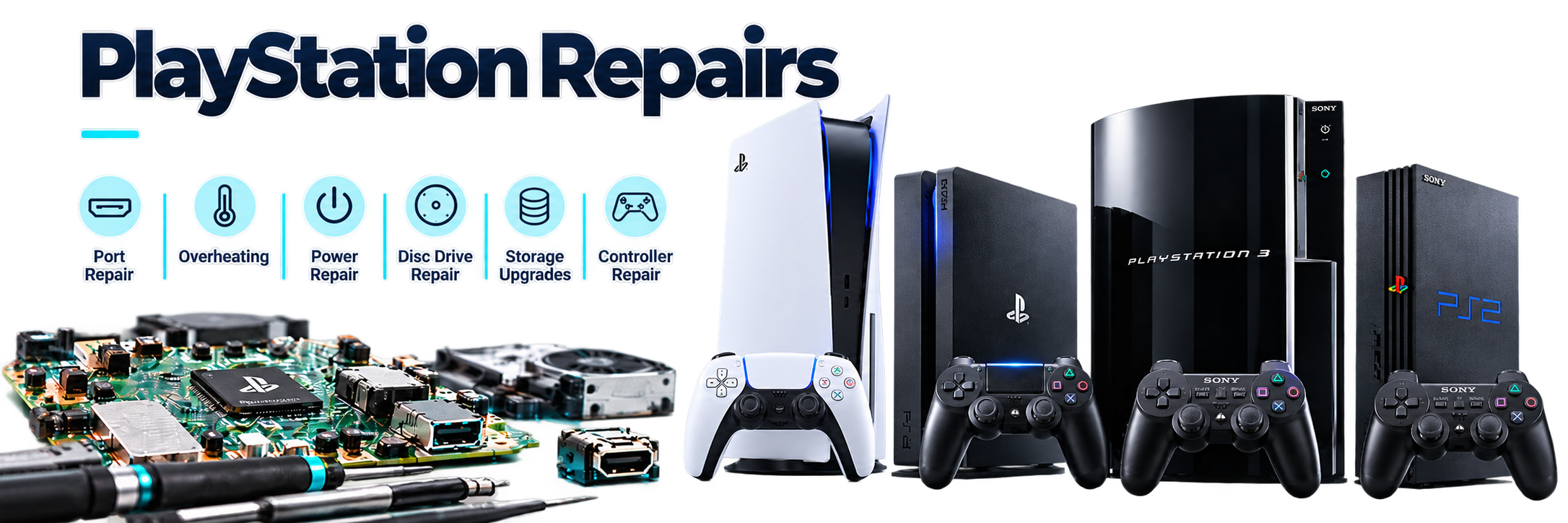
 PlayStationPS5, PS4 and PS3 console repair for display, power and drive problems.
- No HDMI Signal / DisplayInspect the HDMI port, encoder path and video output symptoms.
- No Power / Sudden ShutdownTest the power path, startup sequence and board-level causes.
- Overheating and Loud FanCheck cooling, dust buildup, thermal condition and shutdown behavior.
- Disc Drive Not Reading / EjectingAssess the drive mechanism, laser and disc handling.
- USB Port IssuesInspect damaged USB ports, data connections and power delivery.
- Network IssuesTest Wi-Fi, Ethernet and network communication faults.
- Panasonic HDMI IC ReplacementReplace the HDMI encoder IC when the port and video path need board-level repair.
- Custom FirmwareDiscuss supported firmware options for compatible PlayStation models.
- Liquid Metal / Thermal Paste ReplacementsRefresh thermal materials and inspect cooling contact where supported.
- Maintenance & CleaningClean dust buildup and inspect fans, vents and internal condition.
- Blue Light of DeathDiagnose startup loops and blue-light power symptoms.
- White Light of DeathDiagnose white-light startup and display symptoms.
- PS3, PS4 Hard Drive ErrorsTest storage health and explain replacement or recovery options.
- System Software / Not LoadingTroubleshoot corrupted system software, updates and loading failures.
- Stuck on Low ResolutionInspect video negotiation, settings and output path issues.
 PSP & PS VitaPlayStation handheld repair for PSP and PS Vita systems.
- Cracked Screen / No Display / Touch ScreenInspect the LCD or OLED panel, backlight and internal display cable.
- Battery / Charging IssueTest battery health, charging port and safe replacement options.
- Analog Stick / Button FaultCheck drifting controls, worn buttons and responsive input.
- UMD, Game Card / Memory IssueAssess the disc drive, game slot, contacts and card recognition.
- Wi-Fi, Audio / Headphone IssueTest supported wireless, speaker and headphone connections.
- Henkaku / Enso / Custom FirmwareDiscuss supported PS Vita custom firmware options and compatibility.
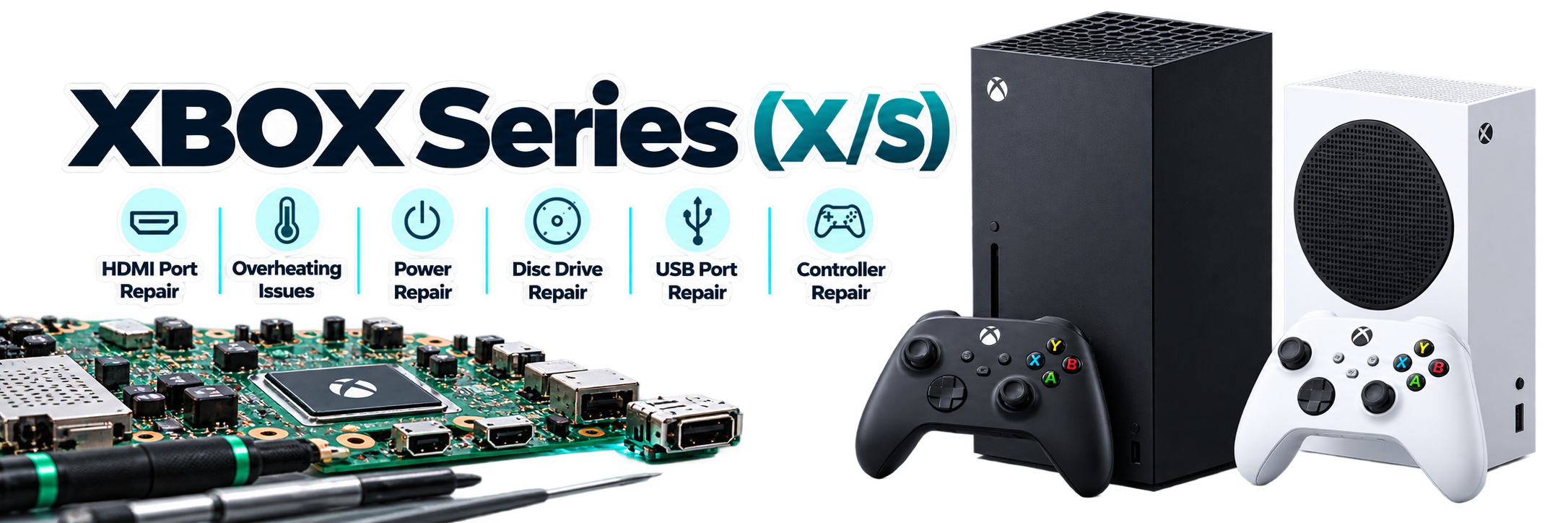
 XBOXSeries X|S, Xbox One and Xbox 360 console repairs and diagnosis.
- No Power / Shuts OffTest the power supply, startup behavior and internal power circuits.
- HDMI Signal / Damaged PortInspect the HDMI socket and display output path.
- Disc Drive / Game Reading IssueAssess insert, read and eject problems.
- Overheating and Fan NoiseCheck airflow, cooling and thermal shutdown symptoms.
- Wi-Fi & Bluetooth IssuesTest wireless connectivity and related board-side connections.
- Network IssuesDiagnose network communication and connection faults.
- USB Port IssuesInspect damaged USB ports, data connections and power delivery.
- Reset Glitch (RGH)Discuss supported Xbox 360 reset-glitch modifications and compatibility.
- Hard Drive ErrorsTest storage health and system access issues.
- System Software / Loading ErrorTroubleshoot corrupted system software, updates and loading failures.
- Stuck on Low ResolutionInspect video negotiation, settings and output path issues.
- Thermal Paste ReplacementsRefresh thermal material and inspect cooling contact where supported.
- Maintenance & CleaningClean dust buildup and inspect fans, vents and internal condition.
 Nintendo SwitchSwitch, Switch Lite and Switch OLED console repair.
- Not Charging / USB-C DamageInspect the USB-C port, dock connection, internal power path and battery replacement needs.
- Screen, Image / Touch IssueAssess display, backlight, digitizer and internal connections.
- Blue / Orange / White Screen IssuesDiagnose colored-screen faults, display output and board-side causes.
- Motherboard ReplacementAssess board damage and compatible replacement options.
- Motherboard Component RepairsM92T36 — USB-C charging and power management
Battery BQ — battery charging, detection and power management
P13 — docked display and HDMI signal processing - Wi-Fi & Bluetooth ConnectionTest wireless pairing, connectivity and related components.
- Game Card / MicroSD Card Not ReadingInspect game-card and microSD readers, contacts and card detection.
- Dock / TV Output IssueTest dock output, video path and supported replacement options.
- No Power / OverheatingTest startup, cooling and shutdown symptoms.
- Joy-Con Not Connecting / DetectedTest pairing, rail and wireless connection issues.
- Atmosphere FirmwareDiscuss supported Atmosphere firmware options and compatibility.
- Overheating / Fan IssueInspect cooling, fan operation, dust buildup and thermal symptoms.
- Tablet Rail ReplacementRepair or replace damaged Joy-Con tablet rails and connection points.
- Audio Jack ReplacementInspect and replace supported headphone and audio jack components.
- Liquid / Physical DamageInspect liquid exposure, impact damage and affected board-level components.
 Nintendo 3DS & DS SeriesNintendo 3DS, 2DS and DS handheld repair.
- Cracked Top / Bottom ScreenInspect the display, backlight, digitizer and internal cables.
- Hinge / Shell DamageAssess hinge wear, broken housings and safe replacement options.
- Game Card / SD Card SlotInspect game-card and SD-card readers, contacts and card detection.
- Battery / Charging / Port IssueTest battery health, charging port and power behavior, including supported port repairs.
- Button & Slider IssuesInspect A, B, X, Y, Shoulder L/R, Start, Select, Volume slider, Wi-Fi, power and Home controls.
- Touch Screen IssuesInspect touch response, digitizer function and screen connections.
- Audio IssueTest speakers, microphones and audio connections.
- Shuts Off / Popping SoundDiagnose sudden shutdowns, popping sounds and power symptoms.
- Analog Stick / C-Stick ReplacementRepair worn, drifting or unresponsive analog controls.
- R4 / Custom FirmwareDiscuss supported R4 card and custom firmware options and compatibility.
- CamerasInspect camera modules, image quality and connection faults.
- Audio JackInspect and replace supported headphone jack components.
- Shell Housing ReplacementReplace damaged housings and restore the system exterior.
- Liquid / Physical DamageInspect liquid exposure, impact damage and affected board-level components.
 Nintendo Wii & Wii UWii and Wii U console and GamePad repair.
- No PowerTest the power path, startup behavior and internal board connections.
- No DisplayCheck video output, display connections and supported signal paths.
- Disc Drive Not ReadingAssess the drive mechanism, laser and disc handling.
- Wii U GamePad Screen / Touch IssueInspect the panel, digitizer, buttons and wireless pairing.
- Sensor, Sync / Controller Connection IssueCheck pairing, sensor accessories and supported port repairs.
- HDMI, Component / AV Output FaultTrace the video path and confirm display compatibility.
- Black Screen IssuesDiagnose blank-screen symptoms, backlight and video output faults.
- Custom Firmware / HomebrewDiscuss supported firmware and homebrew options for compatible systems.
 Steam Deck & PC HandheldsSteam Deck, ASUS ROG Ally, AYANEO and other PC handheld repairs.
- Cracked Screen / No DisplayInspect LCD or OLED panels, backlight, display cables and hinges.
- Battery / Charging IssueCheck battery health, USB-C charging, docks and replacement options.
- Buttons, Touch / ControlsInspect thumbsticks, buttons, triggers, touchpads and touchscreen response.
- Wi-Fi & Bluetooth / Audio IssuesTest Wi-Fi, Bluetooth, speakers, microphones and internal connections.
- Dock / USB-C Video IssuesDiagnose dock connections, USB-C video output and external display faults.
- Storage IssuesDiagnose SSD or microSD storage, slow loading, missing drives and upgrade options.
- Software / Firmware IssuesTroubleshoot SteamOS, Windows, drivers, updates, BIOS and boot errors.
- Retro Games SetupSet up supported emulators, controls and game libraries for games you own.
 Retro SystemsClassic Nintendo, PlayStation, Xbox and other older game systems.
- No Power / Intermittent StartupTrace the power input, switch and aging internal components.
- Video Output / Sync IssueAssess cables, ports, capacitors and display compatibility.
- Cartridge / Disc Not ReadingClean and inspect readers, contacts and drive mechanisms.
- Mod, Upgrade / Region WorkDiscuss supported modifications after confirming the exact model.
- Custom Diagnosis for Older HardwareBring the system and symptoms so we can confirm what is serviceable.
- GB / GBC / GBA Battery ReplacementReplace supported Game Boy, Game Boy Color and Game Boy Advance batteries.
*Typical turnaround estimates vary with diagnosis, repair approval, parts availability and current workload.

In BramptonLocal. Trusted. Convenient.

Trusted Since 200225 years of experience.

Quality RepairsBuilt to last.

Mail-In ServiceCanada-wide.